Forces 2026.4.3 brings better Warhammer 40,000 Crusade support and Meta screen upgrades across all platforms.
All Platforms
Warhammer 40,000 Crusade — Unit Transfers
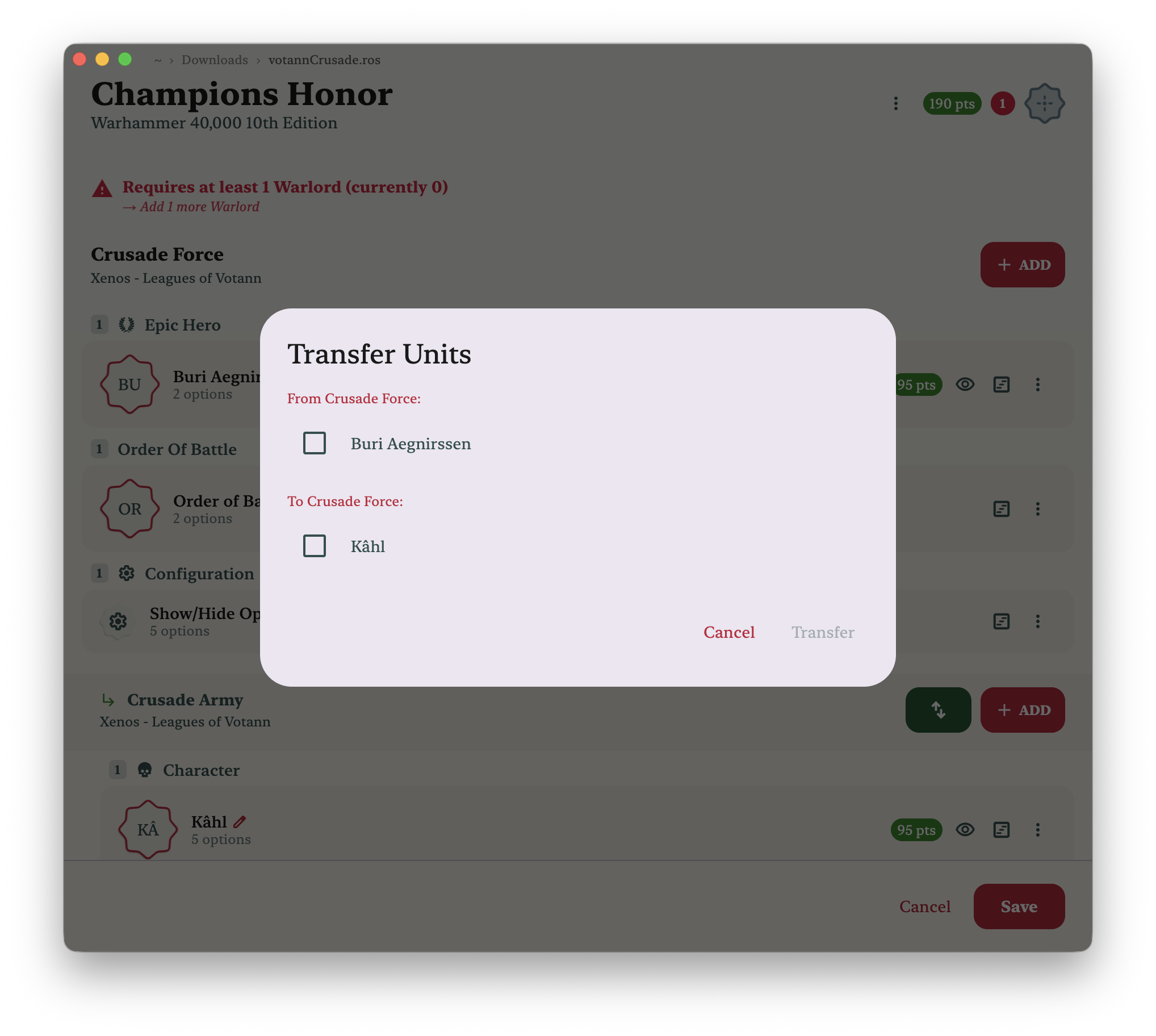
Crusade rosters are now much better supported. Forces correctly constructs Crusade child forces, and you can now transfer units between a parent force and a child force directly inside the roster editor.
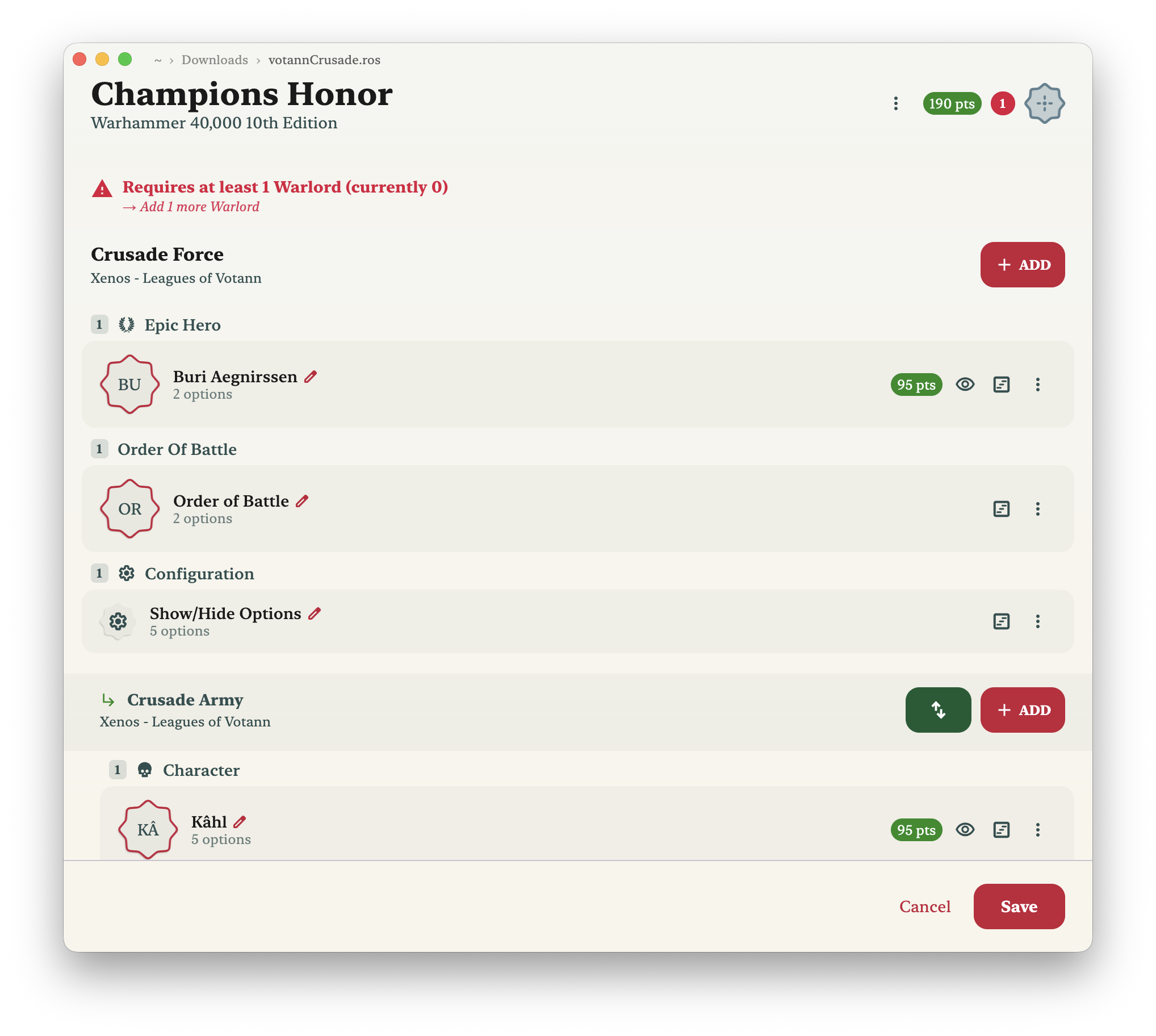
Tap or click the transfer button on any child force header to open the transfer sheet. From there you can pull units down from the parent Crusade Force into the Crusade Army, or send them back up — matching the workflow used in apps like NewRecruit.
Meta Screen — Sorting & Top Units
The Meta army screen has new sorting options:
- Popularity — rank units by how frequently they appear across tracked rosters
- Average count — see which units players tend to take multiples of
- Most taken — the raw highest-count units across all lists
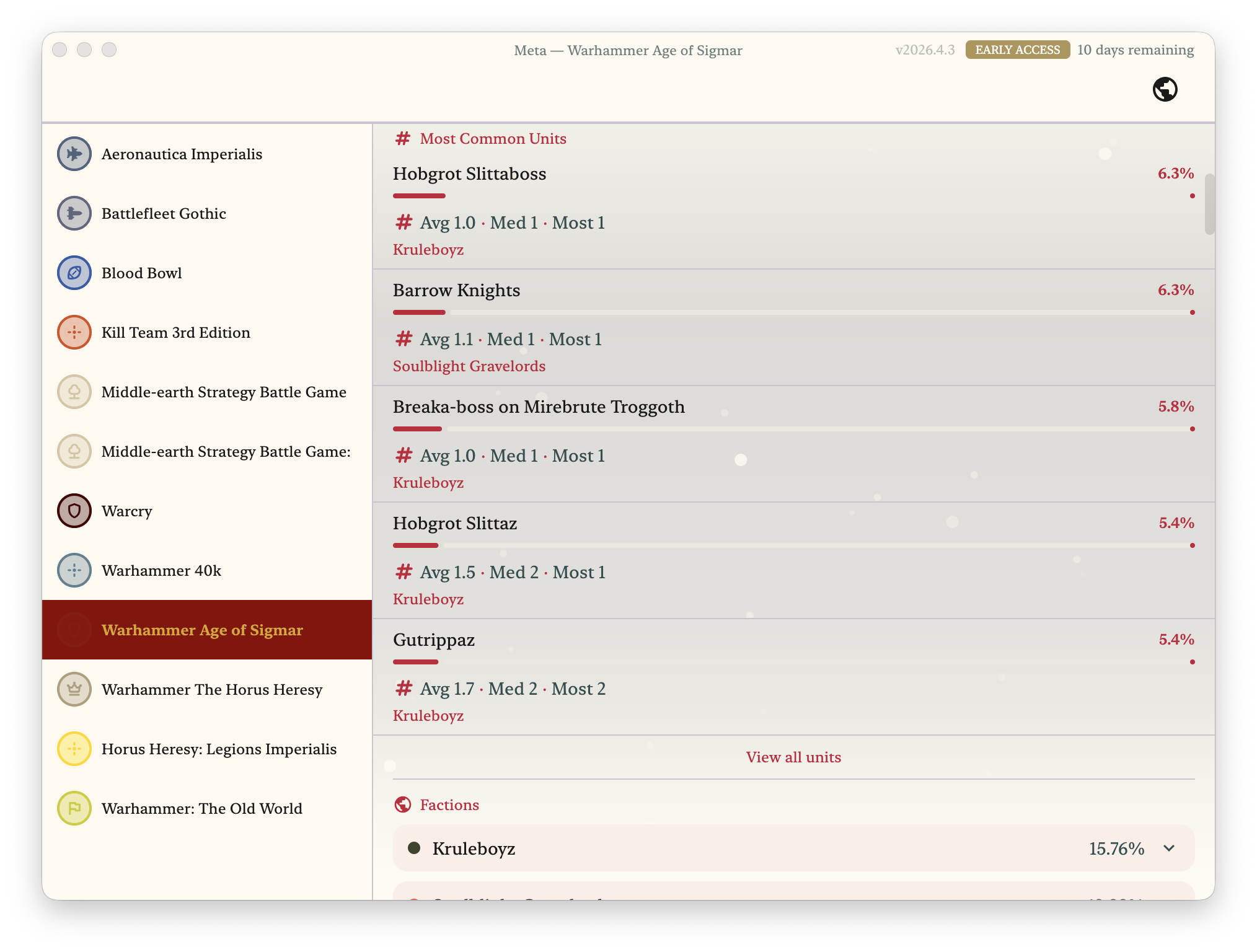
The game system Meta screen also now shows an overall top units section at the top, aggregating across all factions — useful for a quick read on the current meta before drilling into a specific army.
Desktop
Dynamic Theme Backgrounds
Several themes on Forces Desktop now have animated dynamic backgrounds, matching the visual polish already available on iOS and Android. Switch themes in Settings to see which ones are animated.